


00
Hours
00
Minutes
00
Seconds


Get In Touch +1 (888) 851-3898


authorized dealer, shop your favorite brand.

Expert Support,
Dial +1 (888) 851-3898

Limited Supply,
grab it before it's gone.

Lowest prices,
As low as possible.

All Item are brand New,
Never used.

Popular Add-Ons
Add-Ons Bundle


$200.00
$70.00
$100.00
$30.00
Bundle Offer
$300.00
$100.00
Recently Viewed Products

Brand:
ePower Go
Damage Protection
If your order is damaged during shipping, refuse it and contact us for solutions
- $100.00
- $100.00
- Unit price
- per

Brand:
ePower Go
Loss Protection
If your order is lost during shipping, contact us for a replacement
- $30.00
- $30.00
- Unit price
- per

Brand:
ePower Go
Theft Protection
- $20.00
- $20.00
- Unit price
- per


Brand:
Senville
Senville AURA 18000 BTU Mini Split Concealed Duct Air Conditioner and Heat Pump - SENA/18HF/ID
Senville AURA 18000 BTU Mini Split Concealed Duct Air Conditioner and Heat Pump - SENA/18HF/ID Looking for the best concealed duct mini split air conditioner heat pump that will offer a versatile and affordable solution to cooling and heating your tiny home? Look no...
- From $1,339.99
$1,489.99- From $1,339.99
- Unit price
- per


DJI Matrice 350 TB65 Intelligent Flight Battery - CP.EN.00000457.01 The TB65 Intelligent Flight Battery adopts high-performance, high-energy cells and can be charged up to 400 cycles, reducing the cost for a single flight. Additionally, it has enhanced heat dissipation performance and an auto-heating system. Features...
- $658.99
$700.00- $658.99
- Unit price
- per


ParfactWorks 1000W LED Grow Light - ZE1000 Cultivate thriving indoor plants with the ParfactWorks ZE1000, a powerhouse LED grow light designed to deliver exceptional results. This industry-leading fixture boasts a massive 1000 watts of power, drawing only a fraction of the energy compared to...
- $811.99
$954.99- $811.99
- Unit price
- per


Luxury Spas- Studio Series Oscar 6 Person Cloud Gray WS-007 offers high-quality relaxation. The Oscar 6-person round home spa has a luxurious cloud gray interior and offers spacious and ergonomic seating, perfect for relaxing and socializing with loved ones. Designed with gatherings in mind,...
- $6,549.99
- $6,549.99
- Unit price
- per


Cummins RS13A - 13kW Quiet Connect™ Series Home Standby Generator The Cummins Quiet Connect Series 13-18kW Air-Cooled Standby Generator is the perfect power backup during an outage. It is powered by a 999 cc engine which runs from 13 to 20 kilowatts both on...
- $3,830.00
$3,999.00- $3,830.00
- Unit price
- per


Ergotron WorkFit Corner Standing Desk Converter - 33-468-921
Reduce back pain and avoid fatigue. Quickly convert a corner desk or table into a sit-to-stand desk that helps you work in ergonomic alignment throughout the day, even as you change positions. The WorkFit Corner Standing Desk Converter has simple paddle adjustment through its 15.6” height range to place your monitor, keyboard, and mouse at the most comfortable level, helping to reduce eye and neck strain. The top surface is roomy enough to accommodate two monitors or a laptop and large monitor for the best ergonomic placement of your technology.
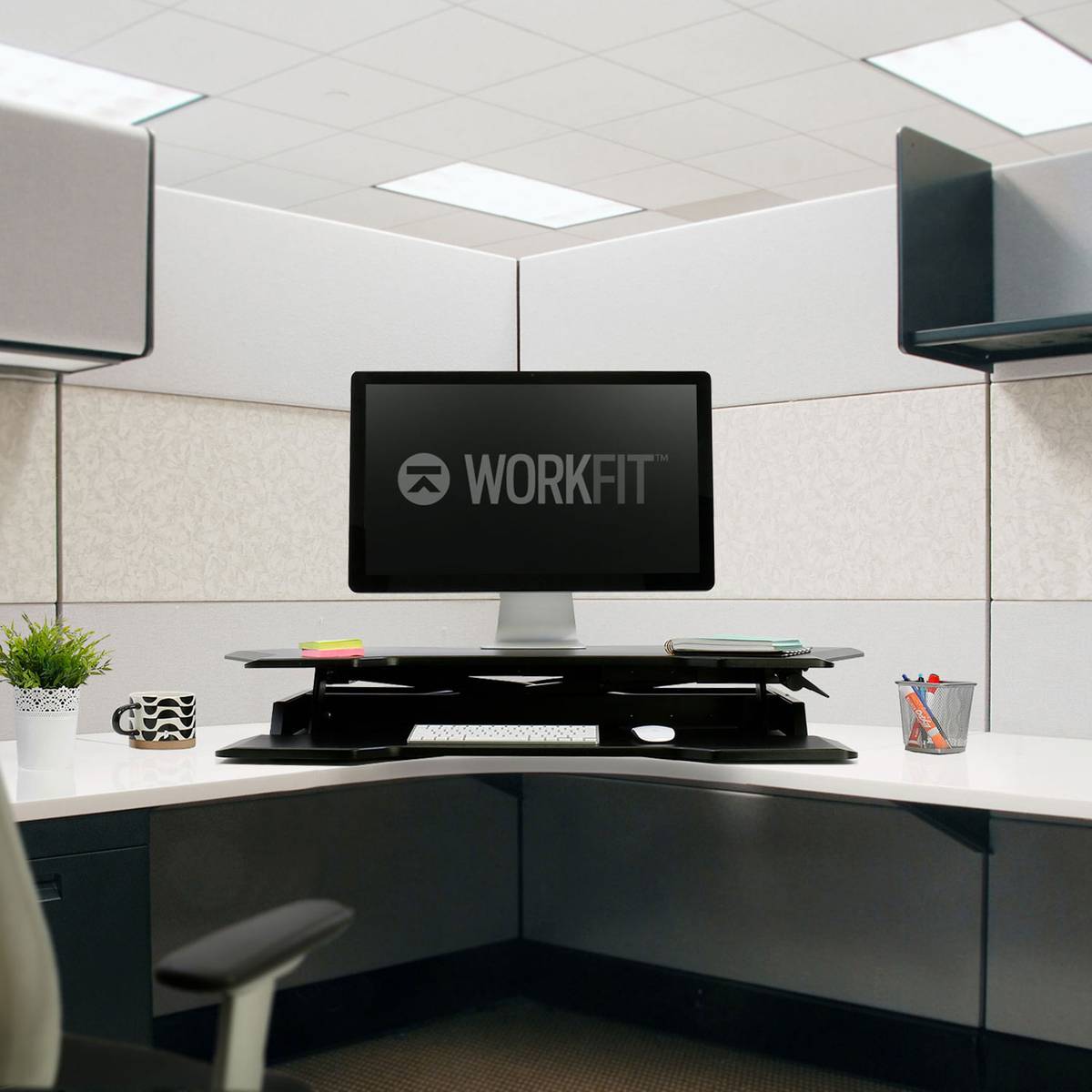
Turn a corner surface into efficient, height-adjustable workspace

Large surfaces place technology at just the right height for sitting or standing
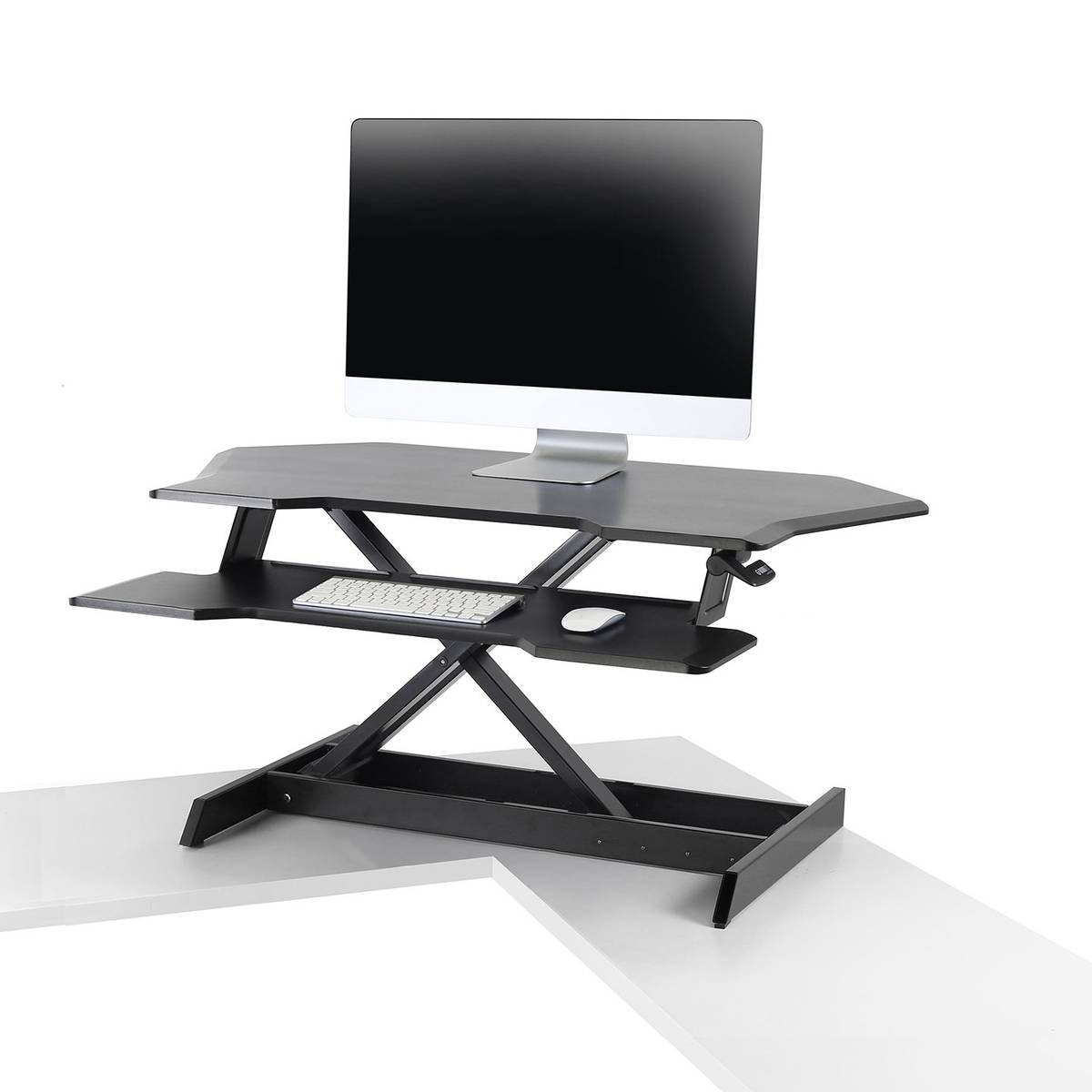
Features
-
Includes one height-adjustable workstation with keyboard tray
-
Fits on surfaces 24" deep or larger
-
Maximum weight capacity: 35 lb
-
Monitor and keyboard move in tandem
-
Slot on top surface holds tablets and phones
-
Keyboard tray sits 4.7" below work surface
-
5-year warranty
Dimensions
-
Top Surface: 36” x 23.6” (maximum width 44”)
-
Keyboard Tray: 36” W x 8.5” D (7.8” at the ends)
-
Total Height Adjustment Range: 15.6”
What Our Experts Think
- Space-Efficient Design: The Ergotron WorkFit Corner Standing Desk Converter (33-468-921) is specifically designed to fit in corner workspaces, optimizing your office layout for maximum efficiency.
- Ergonomic Adjustability: Provides smooth height adjustment, allowing you to easily switch between sitting and standing positions for improved posture and comfort throughout the day.
- Generous Workspace: Features a spacious work surface with ample room for dual monitors, keyboard, and other essentials, creating a clutter-free and productive workspace.
- Sturdy and Durable: Built with high-quality materials, ensuring stable and reliable support for your computer setup, even at the highest adjustment level.
- Easy to Use: The one-touch lift mechanism makes transitioning between sitting and standing positions quick and effortless.
- Health Benefits: Promotes better posture and reduces the risks associated with prolonged sitting, helping you maintain a healthier work routine.
Q&A
Q: What are the key features of the Ergotron WorkFit Corner Standing Desk Converter (33-468-921)?
A: The Ergotron WorkFit Corner Standing Desk Converter is designed to fit into corner spaces, providing an ergonomic standing workstation. It allows you to easily transition between sitting and standing positions, promoting better posture and health. With a large work surface, it can accommodate multiple monitors, laptops, and other desk accessories. The smooth, tool-free height adjustment mechanism makes it simple to customize the desk to your preferred working height.
Q: How much weight can the Ergotron WorkFit Corner Standing Desk Converter support?
A: The Ergotron WorkFit Corner Standing Desk Converter can support up to 35 pounds of equipment, including multiple monitors and other desk essentials.
Q: Does the Ergotron WorkFit Corner Standing Desk Converter require assembly?
A: The WorkFit Corner Desk Converter comes fully assembled and ready to use, with no tools required for setup.
Q: Can I adjust the height of the Ergotron WorkFit Corner Standing Desk Converter?
A: Yes, the desk converter features a smooth, tool-free height adjustment that allows you to easily switch between sitting and standing positions throughout the day.
Q: Will the Ergotron WorkFit Corner Standing Desk Converter fit into a corner workspace?
A: Yes, the WorkFit Corner Desk Converter is specifically designed to fit into corner spaces, maximizing your desk area while providing ergonomic benefits.
Q: Is the Ergotron WorkFit Corner Standing Desk Converter stable when fully extended?
A: Yes, the WorkFit Corner Desk Converter is designed with stability in mind and remains steady even when fully extended, ensuring a secure work surface.
Q: How large is the work surface on the Ergotron WorkFit Corner Standing Desk Converter?
A: The work surface is large enough to accommodate dual monitors, a laptop, keyboard, and other office essentials, making it ideal for productivity.
Q: Does the Ergotron WorkFit Corner Standing Desk Converter require a separate keyboard tray?
A: Yes, the desk converter includes a separate, lower keyboard tray for comfortable typing, which is also adjustable in height.
Q: Can the Ergotron WorkFit Corner Standing Desk Converter be used with multiple monitors?
A: Yes, the WorkFit Corner Desk Converter can comfortably hold dual monitors or a combination of a monitor and laptop, offering flexibility for multi-screen setups.
Maintenance Tips
- Regular Cleaning: Wipe down the desk surface with a soft, damp cloth to remove dust and stains. Avoid abrasive cleaners that could damage the finish.
- Check Adjustment Mechanism: Periodically check the height adjustment mechanism for smooth operation. Lubricate any moving parts lightly if needed to prevent squeaking or stiffness.
- Inspect for Stability: Ensure that all screws and bolts are tightened securely to maintain stability and prevent wobbling.
- Cable Management: Keep cables neatly organized and avoid excessive strain on the desk’s cable management system to prevent damage.
- Weight Limits: Ensure the weight on the desk does not exceed the recommended weight capacity to avoid damaging the lift mechanism or straining the structure.
- Storage: When not in use, ensure the desk is free from clutter that could cause strain on the moving parts or affect performance.
Related Products


- Choosing a selection results in a full page refresh.