


00
Hours
00
Minutes
00
Seconds


Get In Touch +1 (888) 851-3898




authorized dealer, shop your favorite brand.

Expert Support,
Dial +1 (888) 851-3898

Limited Supply,
grab it before it's gone.

Lowest prices,
As low as possible.

All Item are brand New,
Never used.

Popular Add-Ons
Add-Ons Bundle


$200.00
$70.00
$100.00
$30.00
Bundle Offer
$300.00
$100.00
Recently Viewed Products

Brand:
ePower Go
Damage Protection
If your order is damaged during shipping, refuse it and contact us for solutions
- $100.00
- $100.00
- Unit price
- per

Brand:
ePower Go
Loss Protection
If your order is lost during shipping, contact us for a replacement
- $30.00
- $30.00
- Unit price
- per

Brand:
ePower Go
Theft Protection
- $20.00
- $20.00
- Unit price
- per


Brand:
Senville
Senville AURA 18000 BTU Mini Split Concealed Duct Air Conditioner and Heat Pump - SENA/18HF/ID
Senville AURA 18000 BTU Mini Split Concealed Duct Air Conditioner and Heat Pump - SENA/18HF/ID Looking for the best concealed duct mini split air conditioner heat pump that will offer a versatile and affordable solution to cooling and heating your tiny home? Look no...
- From $1,339.99
$1,489.99- From $1,339.99
- Unit price
- per


DJI Matrice 350 TB65 Intelligent Flight Battery - CP.EN.00000457.01 The TB65 Intelligent Flight Battery adopts high-performance, high-energy cells and can be charged up to 400 cycles, reducing the cost for a single flight. Additionally, it has enhanced heat dissipation performance and an auto-heating system. Features...
- $658.99
$700.00- $658.99
- Unit price
- per


ParfactWorks 1000W LED Grow Light - ZE1000 Cultivate thriving indoor plants with the ParfactWorks ZE1000, a powerhouse LED grow light designed to deliver exceptional results. This industry-leading fixture boasts a massive 1000 watts of power, drawing only a fraction of the energy compared to...
- $811.99
$954.99- $811.99
- Unit price
- per


Luxury Spas- Studio Series Oscar 6 Person Cloud Gray WS-007 offers high-quality relaxation. The Oscar 6-person round home spa has a luxurious cloud gray interior and offers spacious and ergonomic seating, perfect for relaxing and socializing with loved ones. Designed with gatherings in mind,...
- $6,549.99
- $6,549.99
- Unit price
- per


Cummins RS13A - 13kW Quiet Connect™ Series Home Standby Generator The Cummins Quiet Connect Series 13-18kW Air-Cooled Standby Generator is the perfect power backup during an outage. It is powered by a 999 cc engine which runs from 13 to 20 kilowatts both on...
- $3,830.00
$3,999.00- $3,830.00
- Unit price
- per


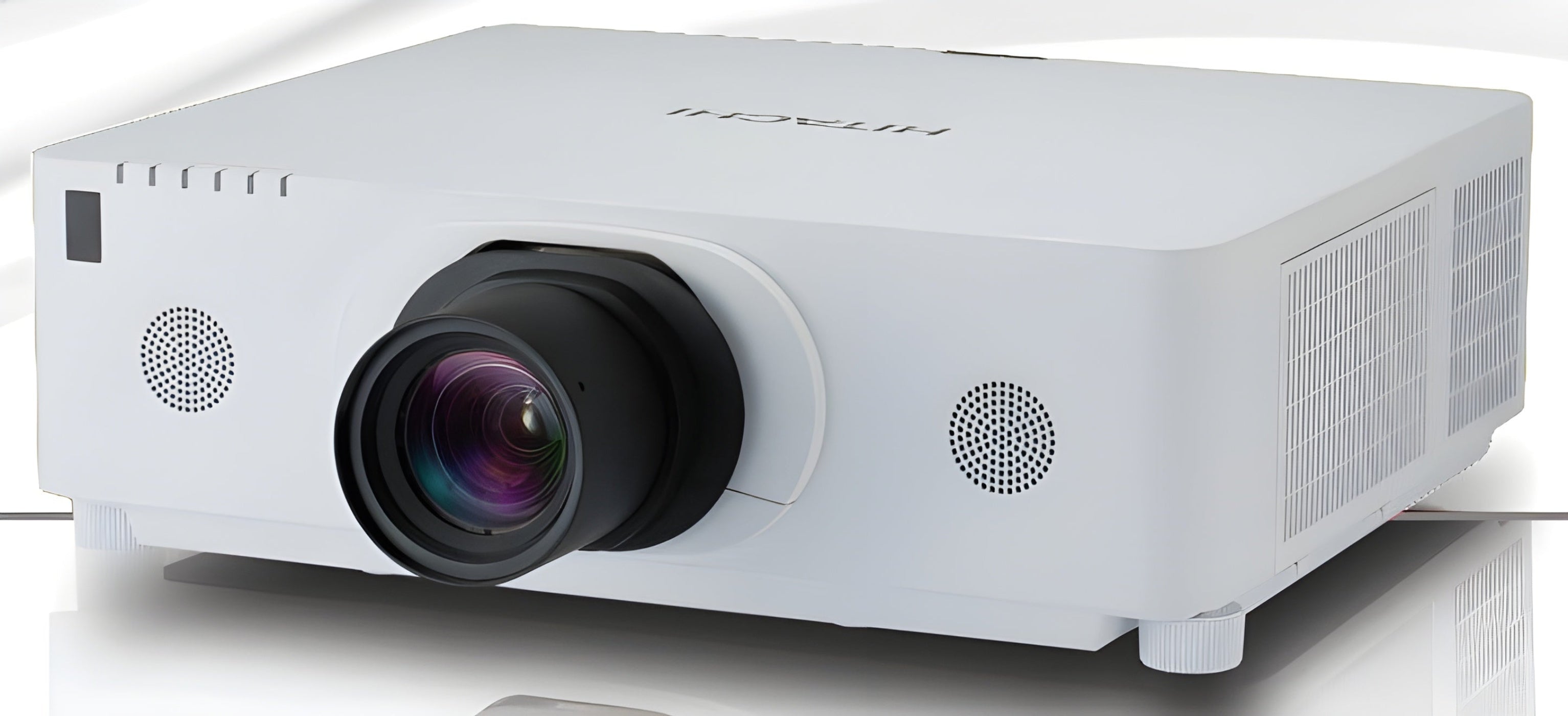
Hitachi CP-WX8750W 3LCD Projector - CPWX8750W
Hitachi's CP-WX8750B LCD projector provides maximum impact in mid to large venue applications with WUXGA resolution and 7500 lumens.
- HDBase-T Connectivity
- WXGA Resolution (1280 x 800)
- 7500 ANSI Lumens
Specifications
| Aspect Ratio | 16:10 (WXGA) |
|---|---|
| Native Resolution | 1280 x 800 |
| Contrast Ratio | 10,000:1 |
| Throw Distance | 5.8 - 25.6 ft |
| Lens | F = 1.6 ~ 1.74 |
| Display Technology | LCD |
| Image Size (Diagonal) | 50.0" - 250.0" |
| Digital Keystone Correction | +/- 40 Degrees |
| Lens Shift | No |
| Economode Lamp Life | 4000 hours |
| Standard Lamp Life | 2000 hours |
| Speakers | 1 x 1W Mono Speaker |
| Audible Noise | 28 dB (Normal), 30 dB (Bright Mode) |
| Short Throw | No |
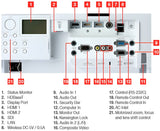
| Inputs | - |
| Outputs | 1 x RGB D-Sub 15pin, 1 x Stereo Mini Jack |
| Projector Methods | Front |
| Unit Weight | - |
| Dimensions (WxDxH) | 19.6" x 16.7" x 6.9" |
| Power Consumption | 233W (Bright Mode), 207W (Normal) |
What Our Experts Think
- Ultra-Bright Projection: 7000 lumens for exceptional clarity and vibrant images, even in large, well-lit venues.
- WXGA Resolution: 1280x800 resolution offers widescreen clarity, making it ideal for presentations, events, and conferences.
- Long Lamp Life: Up to 3,000 hours in normal mode, reducing maintenance costs and ensuring consistent performance.
- Flexible Connectivity: Multiple input options including HDMI, VGA, and LAN for easy integration with various devices.
- High Reliability: Designed for demanding environments with advanced features like built-in edge blending and geometric correction.
- Energy Efficient: Eco-mode reduces power consumption, extending lamp life and lowering operational costs.
Q&A
Q: What is the resolution of the Hitachi CP-WX8750W projector?
A: The Hitachi CP-WX8750W features WXGA (1280x800) resolution, providing sharp and clear images, perfect for presentations, meetings, and classroom settings.
Q: How bright is the CP-WX8750W projector?
A: The CP-WX8750W offers an impressive 5,000 lumens of brightness, ensuring clear, vibrant visuals in large and well-lit environments.
Q: What type of technology does the CP-WX8750W use?
A: The CP-WX8750W uses 3LCD technology, providing bright, vivid colors and excellent image quality for professional and educational purposes.
Q: What is the expected lamp life of the CP-WX8750W projector?
A: The CP-WX8750W projector’s lamp lasts up to 3,000 hours in normal mode and up to 4,000 hours in eco mode, depending on usage.
Q: What connectivity options are available on the CP-WX8750W?
A: The CP-WX8750W includes HDMI, VGA, and USB ports, offering versatile connectivity with laptops, media players, and other devices.
Q: Is the CP-WX8750W suitable for large venues?
A: Yes, with its 5,000 lumens brightness and WXGA resolution, the CP-WX8750W is ideal for large conference rooms, auditoriums, and lecture halls.
Q: Does the CP-WX8750W support wireless connectivity?
A: The CP-WX8750W offers optional wireless functionality with an additional wireless LAN module, allowing for easy wireless presentations.
Maintenance Tips
- Clean Air Filters Regularly: Clean the air filters every 100-150 hours to ensure proper airflow and prevent dust buildup.
- Lamp Replacement: Replace the lamp after 2,000-3,000 hours of use or when brightness noticeably decreases.
- Ensure Proper Ventilation: Keep the projector in a well-ventilated area to avoid overheating and ensure optimal cooling.
- Lens Care: Use a microfiber cloth to gently clean the lens, removing any dust or smudges that can affect image clarity.
- Turn Off After Use: Always turn off the projector when not in use to extend the lamp’s lifespan and prevent unnecessary wear.
- Check for Firmware Updates: Regularly check and apply firmware updates to improve projector performance and features.
Related Products


- Choosing a selection results in a full page refresh.