


00
Hours
00
Minutes
00
Seconds


Get In Touch +1 (888) 851-3898


authorized dealer, shop your favorite brand.

Expert Support,
Dial +1 (888) 851-3898

Limited Supply,
grab it before it's gone.

Lowest prices,
As low as possible.

All Item are brand New,
Never used.

Popular Add-Ons
Add-Ons Bundle


$200.00
$70.00
$100.00
$30.00
Bundle Offer
$300.00
$100.00
Recently Viewed Products

Brand:
ePower Go
Damage Protection
If your order is damaged during shipping, refuse it and contact us for solutions
- $100.00
- $100.00
- Unit price
- per

Brand:
ePower Go
Loss Protection
If your order is lost during shipping, contact us for a replacement
- $30.00
- $30.00
- Unit price
- per

Brand:
ePower Go
Theft Protection
- $20.00
- $20.00
- Unit price
- per


Brand:
Senville
Senville AURA 18000 BTU Mini Split Concealed Duct Air Conditioner and Heat Pump - SENA/18HF/ID
Senville AURA 18000 BTU Mini Split Concealed Duct Air Conditioner and Heat Pump - SENA/18HF/ID Looking for the best concealed duct mini split air conditioner heat pump that will offer a versatile and affordable solution to cooling and heating your tiny home? Look no...
- From $1,339.99
$1,489.99- From $1,339.99
- Unit price
- per


DJI Matrice 350 TB65 Intelligent Flight Battery - CP.EN.00000457.01 The TB65 Intelligent Flight Battery adopts high-performance, high-energy cells and can be charged up to 400 cycles, reducing the cost for a single flight. Additionally, it has enhanced heat dissipation performance and an auto-heating system. Features...
- $658.99
$700.00- $658.99
- Unit price
- per


ParfactWorks 1000W LED Grow Light - ZE1000 Cultivate thriving indoor plants with the ParfactWorks ZE1000, a powerhouse LED grow light designed to deliver exceptional results. This industry-leading fixture boasts a massive 1000 watts of power, drawing only a fraction of the energy compared to...
- $811.99
$954.99- $811.99
- Unit price
- per


Luxury Spas- Studio Series Oscar 6 Person Cloud Gray WS-007 offers high-quality relaxation. The Oscar 6-person round home spa has a luxurious cloud gray interior and offers spacious and ergonomic seating, perfect for relaxing and socializing with loved ones. Designed with gatherings in mind,...
- $6,549.99
- $6,549.99
- Unit price
- per


Cummins RS13A - 13kW Quiet Connect™ Series Home Standby Generator The Cummins Quiet Connect Series 13-18kW Air-Cooled Standby Generator is the perfect power backup during an outage. It is powered by a 999 cc engine which runs from 13 to 20 kilowatts both on...
- $3,830.00
$3,999.00- $3,830.00
- Unit price
- per


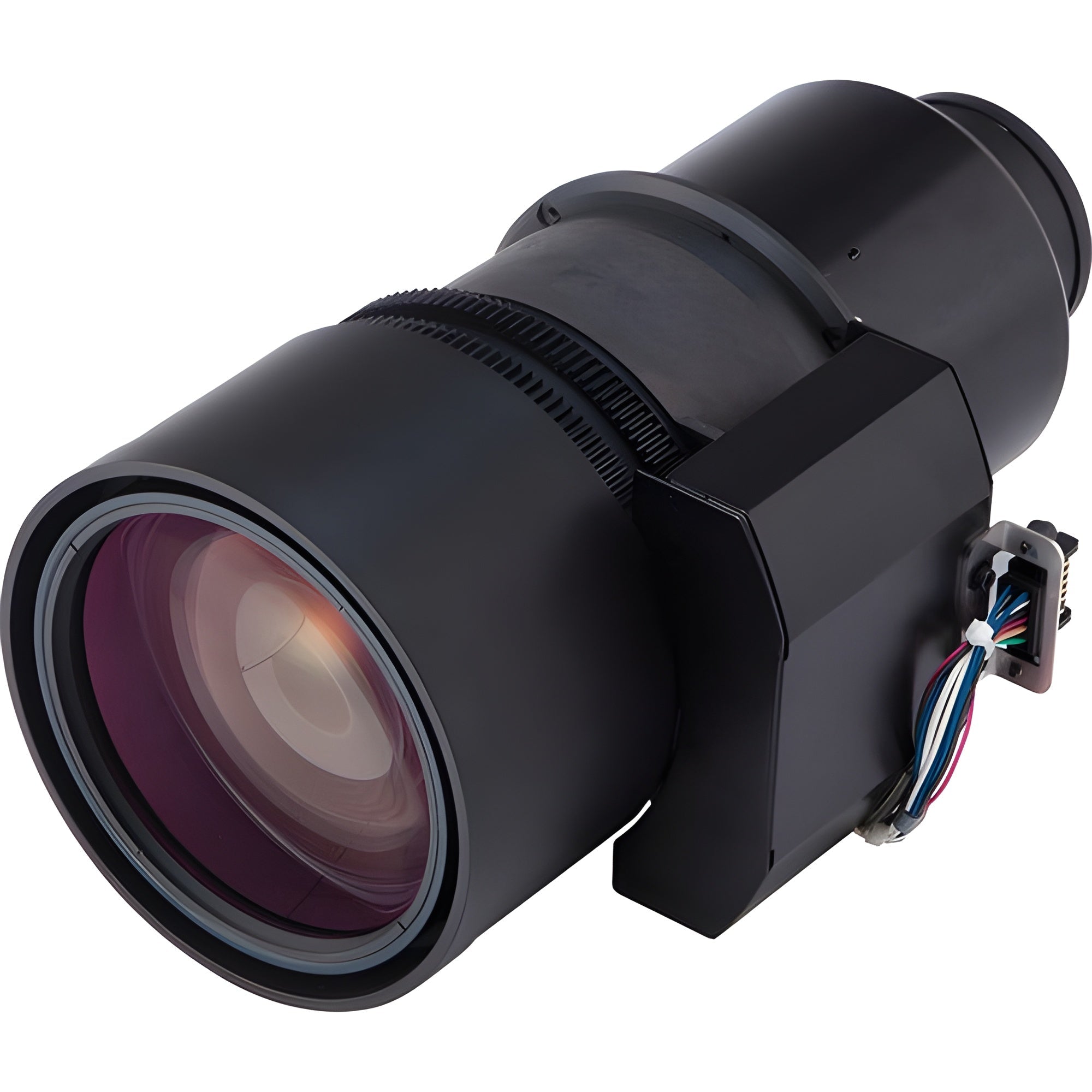
Hitachi Long Throw Zoom Lens - LLK05
The LL-K05 Long Throw Zoom Lens is designed specific
The LL-K05 Long Throw Zoom Lens is designed specifically for the Hitachi CP-WU13K projector. It has a motorized zoom and focus control with an F/number of 2.5 and a 52 - 85 mm focal length.
ally for the Hitachi CP-WU13K projector. It has a motorized zoom and focus control with an F/number of 2.5 and a 52 - 85 mm focal length.
What our Experts Think
-
Long Throw Zoom Precision – Ideal for large venues and long-distance projections, delivering sharp and detailed images.
-
High-Quality Optics – Ensures clear, crisp visuals even at extended projection distances.
-
Wide Zoom Range – Offers flexibility in lens adjustments for various installation needs.
-
Durable & Reliable – Built to withstand long-term use in professional environments.
-
Seamless Compatibility – Designed for use with Hitachi 3LCD projectors for optimal performance.
Q&A
Q: What is the purpose of the Hitachi LLK05 lens?
A: The LLK05 lens is designed for long throw projection, ideal for large venues and projecting over long distances.
Q: What is the throw ratio of the LLK05 lens?
A: The LLK05 offers a throw ratio of 1.8 to 2.6, allowing for flexible projection distances.
Q: What projectors is the LLK05 lens compatible with?
A: It is compatible with select Hitachi projectors, designed for installations requiring long throw capabilities.
Q: How does the LLK05 lens enhance projection quality?
A: The lens ensures sharp, clear images over long distances with minimal distortion and high brightness.
Q: Is installation of the LLK05 lens easy?
A: Yes, the lens is designed for easy installation but ensure compatibility with your projector model for optimal performance.
Maintenance Tips
-
Clean the Lens Regularly – Use a microfiber cloth and lens-safe cleaner to remove dust, fingerprints, and smudges.
-
Protect the Lens – Always use a lens cap when not in use to keep it free from dust and scratches.
-
Handle with Care – Avoid applying excessive force when attaching or removing the lens.
-
Store Properly – Keep the lens in a dry, clean environment to prevent moisture or dust buildup.
-
Check for Secure Attachment – Ensure the lens is securely mounted to the projector to avoid misalignment.
-
Avoid Sudden Temperature Changes – Allow the lens to gradually adjust to temperature changes to prevent condensation.
-
Inspect for Wear – Regularly check the lens for any visible damage or signs of wear that could affect performance.
Related Products


- Choosing a selection results in a full page refresh.